How to Run a Free Website SEO Audit
Crawl your site to find broken internal links, redirect chains, sitemap errors and noindex conflicts. Free, with no sign-up needed.
To audit a website for technical SEO problems, open the Website SEO Audit, type your site's address, and press Run audit. It crawls source HTML, follows robots.txt, tests sitemap URLs, and lists broken links, redirects and indexing conflicts with a next step for each.
Steps
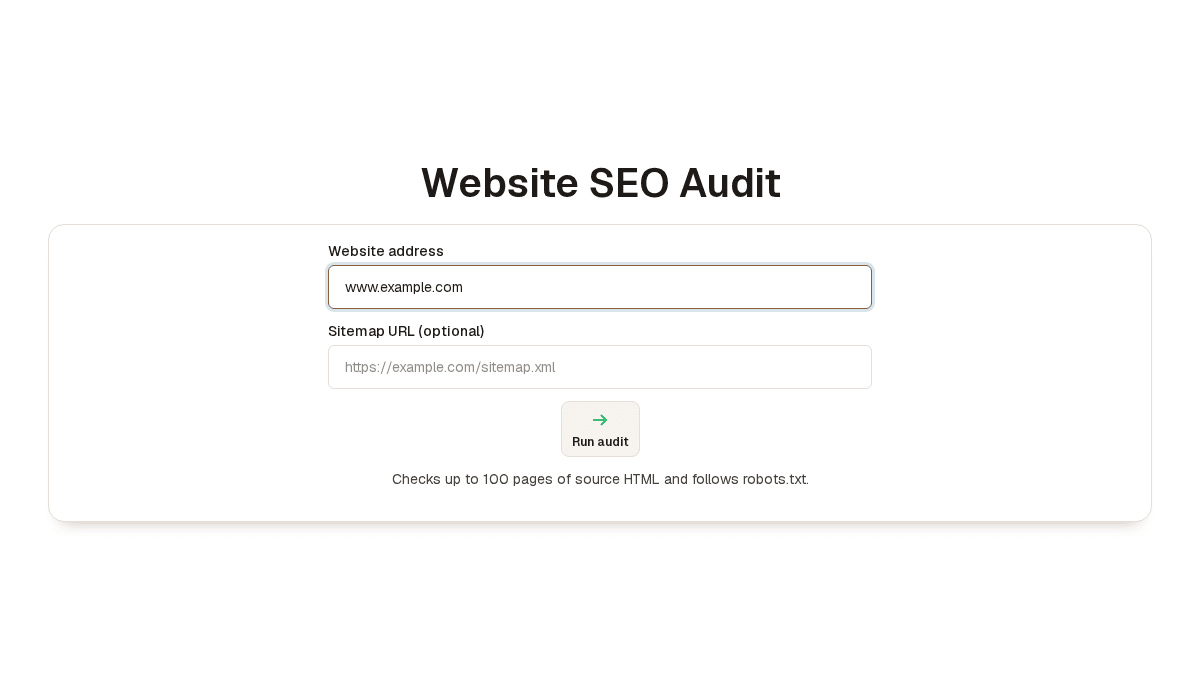
- Open the tool. Go to Website SEO Audit.
- Type the website address. Use your home page, such as
www.example.com. Add a Sitemap URL if it is not listed in robots.txt. - Press Run audit. The page shows how many pages have been checked and the last URL read. Press Stop to end early.
- Open each finding. Select Show evidence to see the pages behind a finding, or a segment of the status bar to list those pages.
- Save the report. Press Download for a PDF report or an Excel workbook.
What the results mean
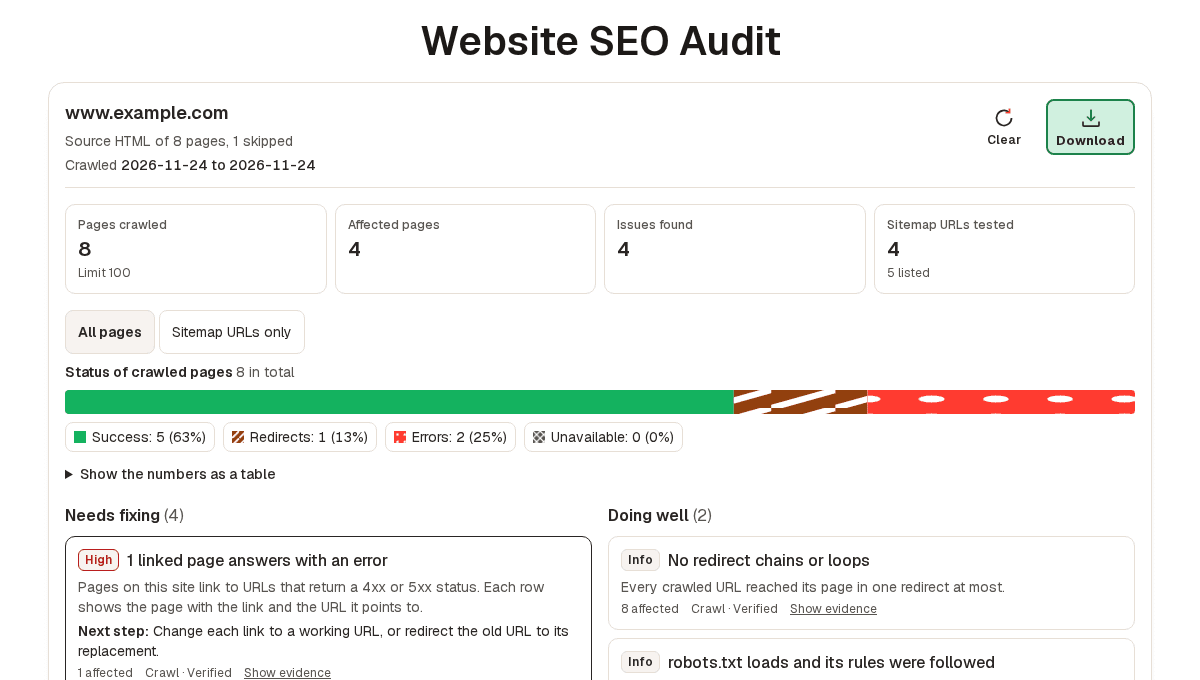
- Pages crawled counts the pages the audit checked. Sitemap URLs tested counts the sitemap addresses checked.
- Status of crawled pages splits pages into success, redirects, errors and unavailable. Switch to Sitemap URLs only to see just the sitemap.
- Needs fixing covers links to pages that answer 4xx or 5xx, sitemap URLs that fail or redirect, URLs that robots.txt blocks, and noindex or canonical conflicts.
- Doing well confirms what passed, such as no redirect chains and robots.txt rules that load.
- Each finding says whether it is Verified, Depends on intent or Not verified.
Questions
Does it run JavaScript? No. It reads source HTML only, so links that JavaScript adds after load are not checked.
How long does the audit run? The audit checks discovered pages with up to two requests at a time for up to 2 minutes and 40 seconds. If time runs out, the report counts queued URLs as skipped.
Does it show whether Google indexed my pages? No. A crawl cannot see Google's index. Use the Google index checker or the search report for that.
Can I audit a site I do not own? Yes, any public site. The crawler obeys its robots.txt rules.
Related tools and guides
- Meta tag checker: check the title, description and share tags of one page.
- Page speed checker: test Core Web Vitals and Lighthouse scores.
- IndexNow submitter: tell Bing about fixed pages.
- 11 free SEO tools for Google Search Console and Bing: which tool answers which SEO question.
How to Make a Search Console + Bing SEO Report
Connect Google Search Console and Bing Webmaster Tools to get one free SEO report of clicks, impressions, issues and wins, saved as PDF or Excel.
How to Check Backlinks in Bing Webmaster Tools
Connect Bing Webmaster Tools to list the sites that link to you, then check each source page live to see if the link is still there. Free and read-only.