
How to Check if Google Indexed Your Pages
Connect Search Console, paste up to 50 URLs or use a sitemap, and see whether Google indexed each page, when it crawled it and which canonical it chose.
To check whether Google has indexed a page, open the Google Index Checker, connect Google Search Console, pick your property, list up to 50 URLs, and press Check index. Each URL gets Google's own verdict from the URL Inspection API, with coverage, last crawl and the canonical Google chose.
Steps
- Open the tool. Go to Google Index Checker.
- Connect Search Console. Press Connect Google Search Console and sign in with an account that can view the property. Access is read-only.
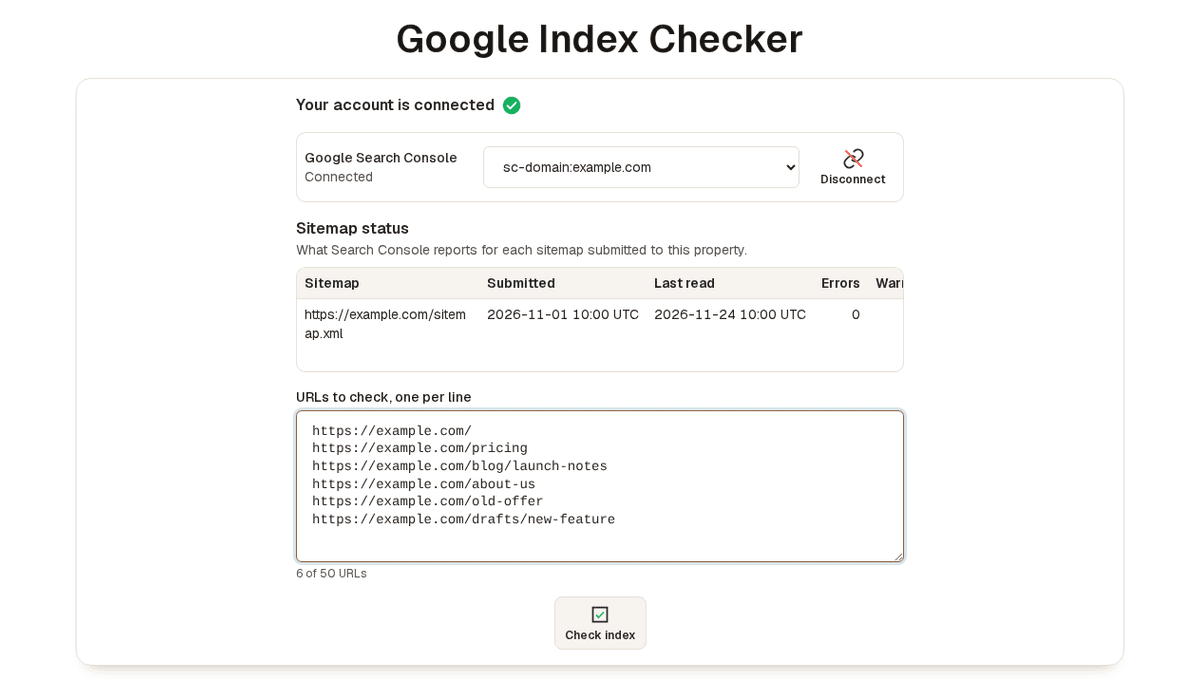
- Pick a property. The panel now reads Your account is connected. Choose the property in the dropdown in the Search Console row. Its submitted sitemaps appear under Sitemap status.
- List the URLs. Paste up to 50 URLs, one per line, or press Use URLs on a sitemap to fill the list from it.
- Press Check index. Download the results as a CSV file or an Excel workbook. If you listed more than 50, or the run stopped early, press Check the rest to put the remaining URLs back in the box, then press Check index again.
What the results mean
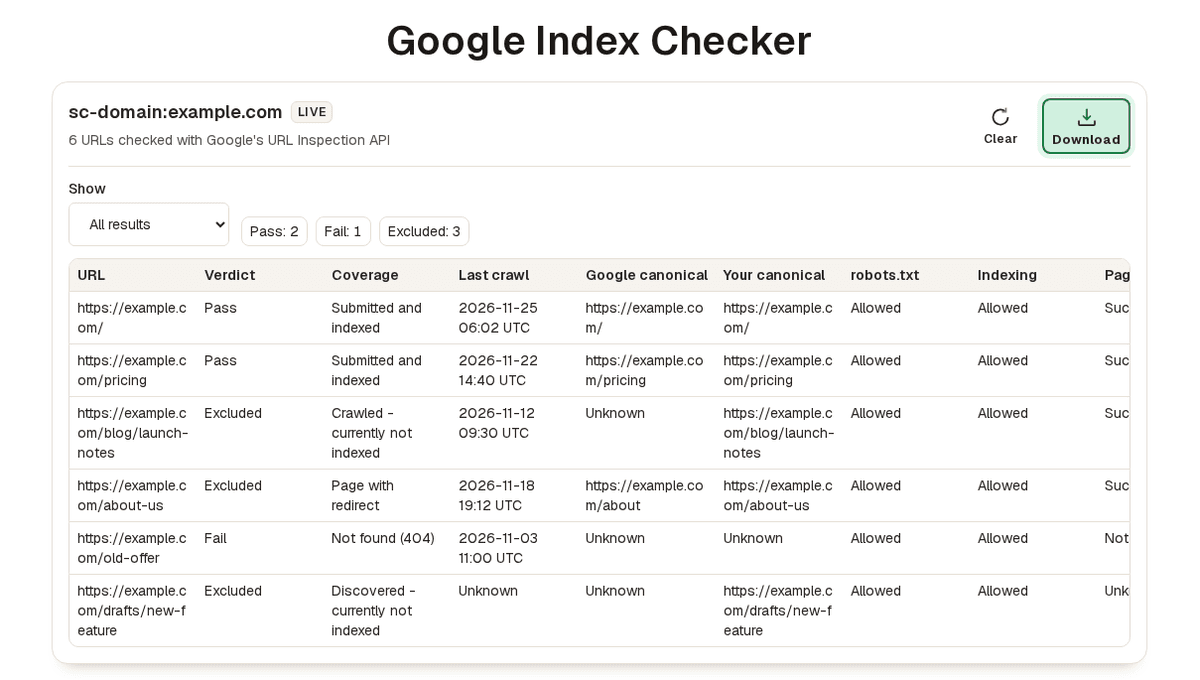
- Pass means the URL is on Google. Excluded means Google knows it but chose not to index it, for example a redirect or "Crawled - currently not indexed". Fail means an error such as a 404.
- Coverage is Google's own wording, the same as in Search Console.
- Last crawl is when Googlebot last fetched the page. Unknown means Google has no crawl on record for that URL.
- Google canonical differs from Your canonical when Google picked another page as the main version.
- Inspect opens the same URL in Search Console.
Questions
Why only 50 URLs at a time? Google allows 2,000 inspections per property per day and 600 per minute, and 50 URLs finish in under a minute. If the quota runs out, the tool says how many URLs were not checked; it resets after midnight Pacific time.
Is this the same as a site: search? No. A site: search is an estimate. URL Inspection reports Google's index status for each exact URL.
Is anything kept? No. The read-only grant sits in an encrypted cookie in your browser for about an hour, and no Free-Utils account is needed.
Related tools and guides
- IndexNow submitter: tell Bing and other engines about new or changed URLs.
- Website SEO audit: find broken links and sitemap errors first.
- Search report: clicks and impressions for the whole site.
How to Track Keywords in Google Search Console
Connect Search Console to load 90 days of queries, then find rising keywords and weak CTR and follow a watchlist day by day. Free and read-only.
How to Check Meta Tags and Share Previews
Check the title, meta description, canonical, Open Graph and X card tags of any page, see Google and social previews, and get a fix for each problem.