
How to Check Page Speed and Core Web Vitals
Test any page with Google Lighthouse on mobile or desktop, and see Core Web Vitals from real Chrome users, lab metrics, and fixes that save the most time.
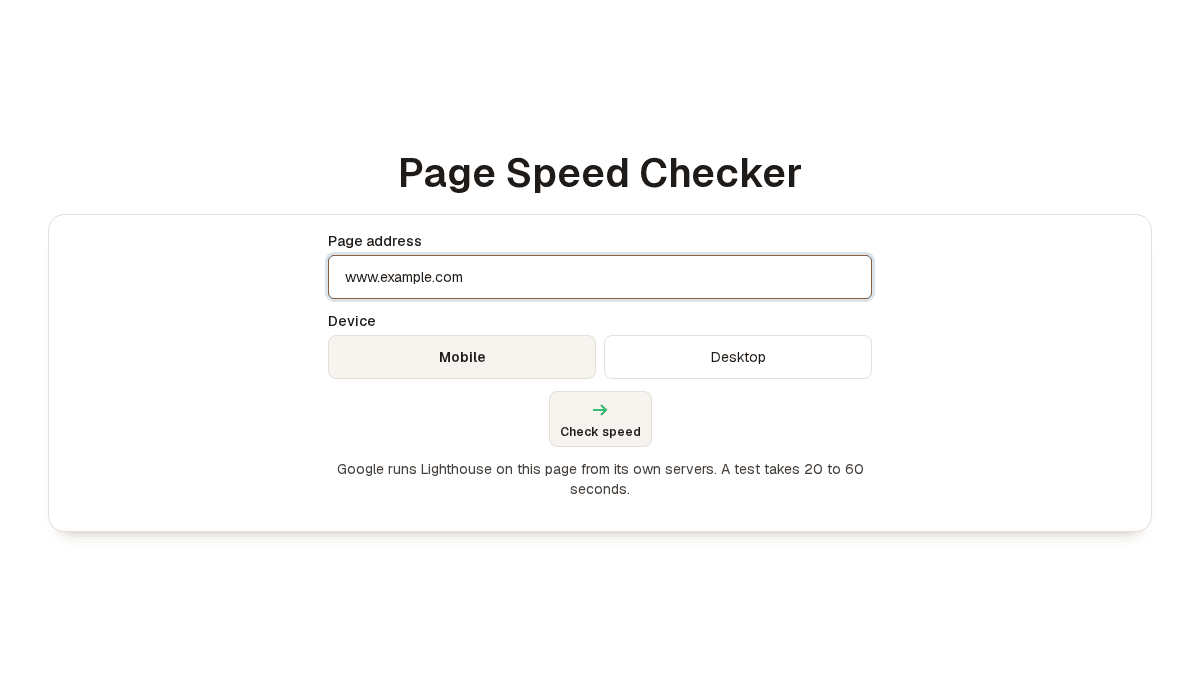
To check a page's speed, open the Page Speed Checker, paste the page address, pick Mobile or Desktop, and press Check speed. Google runs Lighthouse on the page from its own servers and the result shows Lighthouse scores, real-user Core Web Vitals, lab metrics, and the fixes that save the most time.
Steps
- Open the tool. Go to Page Speed Checker.
- Paste the page address. Test one page at a time, such as
www.example.com/pricing. - Pick a device. Mobile is the default and the one Google uses for ranking. Test Desktop separately.
- Press Check speed. A test takes 20 to 60 seconds.
- Act on the result. Start with the top Opportunities. Press Download for an Excel workbook, or open the full report on PageSpeed Insights.
What the results mean
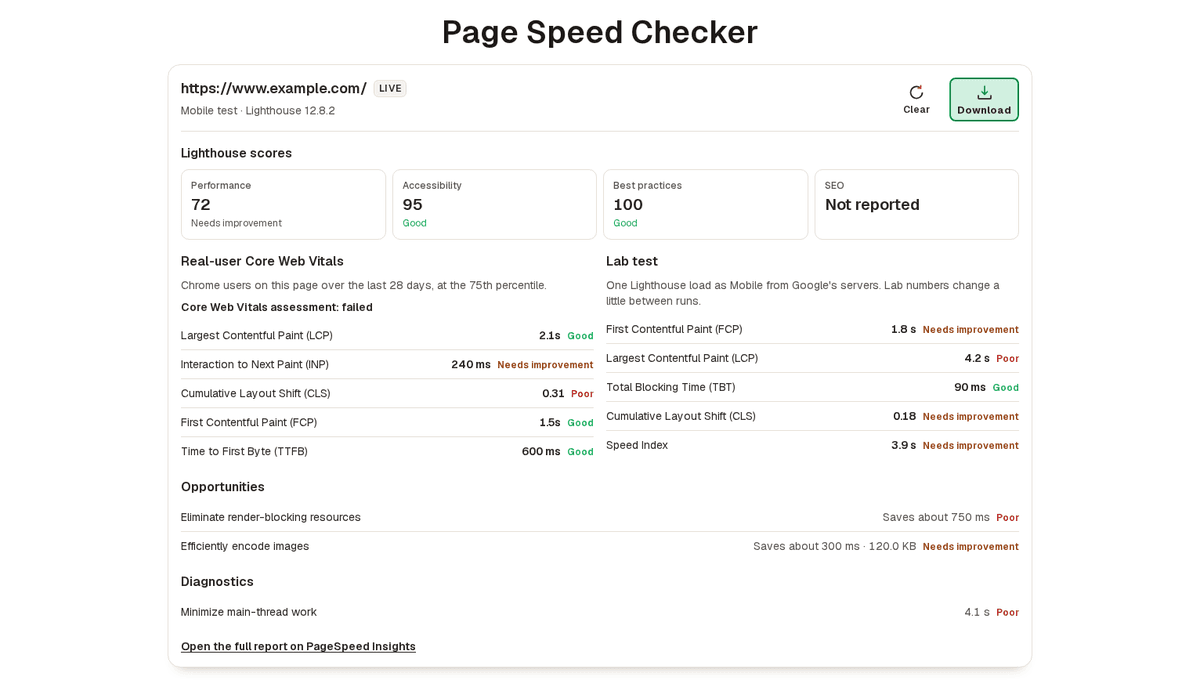
- Lighthouse scores run from 0 to 100 for performance, accessibility, best practices and SEO. 90 or more is good.
- Real-user Core Web Vitals come from Chrome users over the last 28 days. The page passes when LCP is 2.5 s or less, INP is 200 ms or less, and CLS is 0.1 or less.
- If the page has too few visits, the figures cover the whole site. Some pages have no field data at all.
- Lab test is one Lighthouse load. Numbers change a little between runs.
- Opportunities list fixes with an estimated saving. Diagnostics list other slow work, such as long main-thread tasks.
Questions
Why do lab and real-user numbers differ? The lab test is one load on a simulated device and network. Real-user data covers many visitors, devices and connections.
Which device should I test? Mobile first. Google ranks pages by their mobile experience.
My score changes each time. Is that normal? Yes. Network and server timing vary, so run the test two or three times and compare.
Related tools and guides
- Website SEO audit: broken links and redirects across the site.
- Meta tag checker: the tags on the same page.
- Google index checker: confirm the page is indexed.
How to Check Meta Tags and Share Previews
Check the title, meta description, canonical, Open Graph and X card tags of any page, see Google and social previews, and get a fix for each problem.
How to Submit URLs to Bing with IndexNow (Free)
Make an IndexNow key, upload its file to your site, and submit up to 1,000 URLs to Bing, Yandex, Seznam, Naver and other engines in one batch for free.