
How to See Old Versions of a Website (Wayback)
Look up a website's Wayback Machine captures: the first and latest capture, months archived per year, and a link to each month's archived copy.
To see what a website looked like in the past, open the Website History Checker, type the domain or URL, and press Check history. It asks the Internet Archive's Wayback Machine for the first capture of each month and shows when the site was first archived, how many months have a capture, and a link to open each one.
Steps
- Open the tool. Go to Website History.
- Type the domain or URL. Enter
example.comfor the home page, or a full address for one page. - Press Check history. The Internet Archive usually answers within a few seconds.
- Open a capture. Under Captures, newest first, select a date to see the page as it was. Press Show more for older months.
- Save the list. Press Download for an Excel workbook with the first capture of each month.
What the results mean
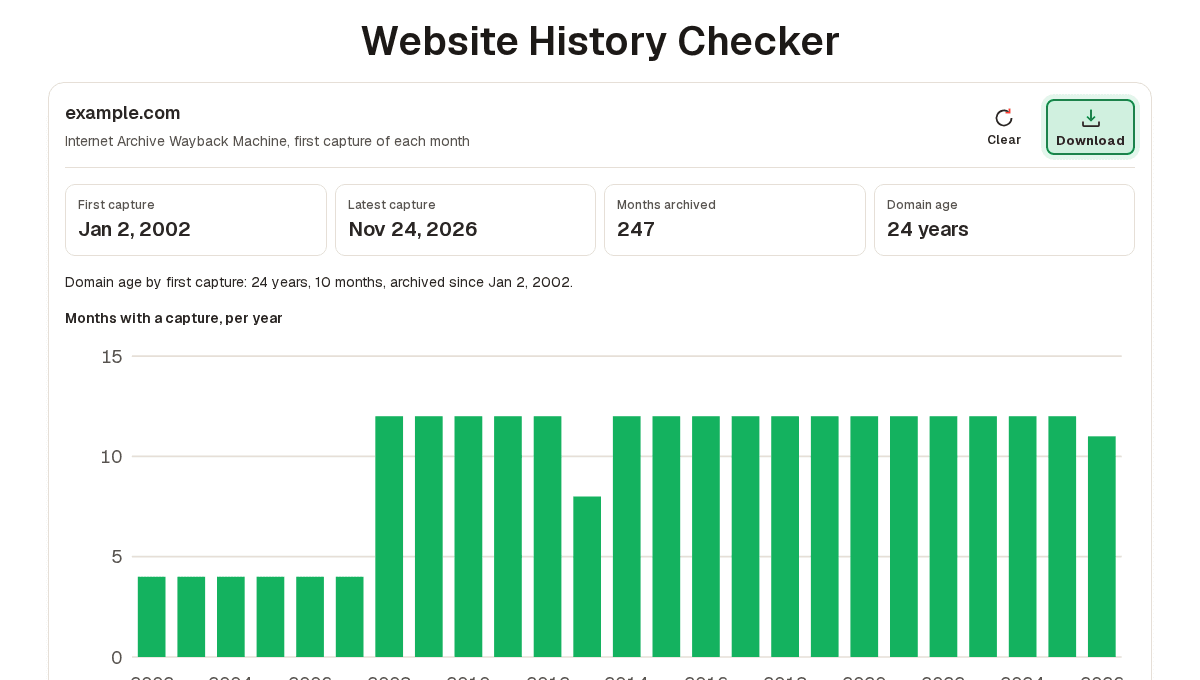
- First capture is the oldest copy in the Wayback Machine. Domain age is estimated from it, so it can differ from the registration date.
- Latest capture is the newest copy. Results can be up to an hour old.
- Months archived counts months with at least one capture.
- The chart shows months with a capture in each year. A short bar means the archive has gaps that year.
- Status is the HTTP status the archive saw, such as 200 for a page or 301 for a redirect.
Questions
Why are there no captures? The Internet Archive has not saved the address, or the site asked it not to. Try the bare domain instead of a full page address, since a single page may have fewer captures than the home page.
Is the first capture the date the domain was registered? No. Use the Domain age checker for the registration date from the registry.
Why are only the first and latest captures shown? Some sites have too many captures for the archive to count by month in time. The page says so when that happens.
Related tools and guides
- Domain age checker: registration and expiry dates.
- DNS lookup: where the domain points today.
- Backlink audit: which sites link to yours.