Flip video icon PNG
Get the flip video icon free as a see-through PNG. Light and dark editions come in 48 to 256 px sizes for mirror and flip controls.
Download the PNG
What the icon shows
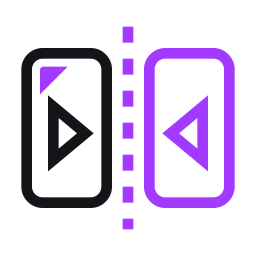
Two tall rounded panels stand on either side of a vertical dashed purple line. The left panel is outlined in black with a play triangle pointing right and a small purple corner tab at its top left, the video colour code. The right panel is its mirror image in purple, with a smaller triangle pointing left. The pair reads as a clip reflected across an axis. Its dark twin is the same mirrored pair, redrawn with light strokes for dark backgrounds.
Where to use it
Use it for a Mirror toggle in a selfie camera or vlogging app, where front cameras save reversed text. It can mark the horizontal and vertical flip options in an editing panel, illustrate a help topic on why a sign or shirt logo reads backwards, or sit on a keyboard shortcut cheat sheet. Teachers recording whiteboard lessons with a webcam can use it in a slide that explains how to correct mirrored writing.
The Flip video tool
Flip video mirrors a clip left to right, so text in a selfie recording reads the right way round. A Top to bottom option flips it vertically as well. The mirrored picture is drawn into every frame and encoded again at high quality as an MP4, which plays the same in every player. It is free, adds no watermark, and nothing leaves your browser.
Free to use with credit
Use this icon for free in personal and commercial work under the Creative Commons Attribution 4.0 license. You can resize or recolour it. Credit Free-Utils with a link to this page, for example:
Icon: Flip video by Free-Utils, https://free-utils.com/free-icons/flip-video, CC BY 4.0