Excel to PDF icon PNG
Download a free Excel to PDF icon. It is a clear background PNG in two themes, light and dark, at sizes from 48 to 256 px.
Download the PNG
What the icon shows
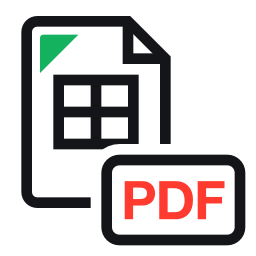
The base shape is a document outline with a folded corner at the upper right. In its center, a square divided into four equal cells stands for a spreadsheet grid. The red PDF label in a black rounded box overlaps the lower right of the page. The top-left corner of the page holds a green triangle, which marks Excel and CSV files. A dark variant draws everything with light strokes for dark backgrounds.
Where to use it
Finance and operations teams often lock a sheet into PDF before sharing it. Place this icon on an Export to PDF button in a budgeting tool, a monthly report checklist, or an accounting firm's client portal where invoices and price lists are sent. It works in a training slide about sharing a timesheet, a legend that separates spreadsheet exports from document exports, or a menu in an inventory app.
The Excel to PDF tool
Excel to PDF turns the first sheet of an Excel workbook in .xlsx format into a PDF table. The site says it keeps tables and layout, and it runs in your browser, so nothing is uploaded. Going the other way, PDF to Excel puts the text of a PDF into a sheet you can edit.
Free to use with credit
Use this icon for free in personal and commercial work under the Creative Commons Attribution 4.0 license. You can resize or recolour it. Credit Free-Utils with a link to this page, for example:
Icon: Excel to PDF by Free-Utils, https://free-utils.com/free-icons/excel-to-pdf, CC BY 4.0