Create fillable PDF icon PNG
Create fillable PDF icon, free as a transparent PNG. Pick the light or dark style in sizes from 48 to 256 px for form builder screens.
Download the PNG
What the icon shows
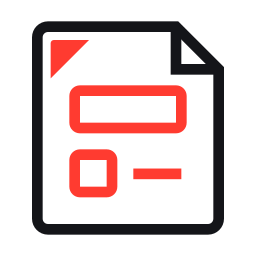
A broad page outlined in thick black, folded at the top right, contains two red form parts instead of text. Near the top is a long rounded rectangle like an empty input box. Below it, a small red square checkbox sits beside a short red line for its label. The red corner triangle at the upper left places it in the PDF group. The dark version shows the same layout with light strokes for dark backgrounds.
Where to use it
Form builders can put it on an Add field button, since the box and checkbox spell out what will be added. Clinics preparing an intake sheet might see it in a guide on making patient forms typeable. HR teams can use it on an onboarding page where a paper template becomes a digital form. It also fits a toolbar group of text box, checkbox and dropdown tools, or a tutorial slide on building forms.
The Create fillable PDF tool
Text boxes, checkboxes and dropdown lists can be added to any PDF with this tool, so other people can type their answers. You name each field and set its page and position, then save. The fields are standard PDF form fields that work in Adobe Reader, in a browser, or with Fill PDF. Flatten PDF can lock answers later. The PDF stays on your device.
Free to use with credit
Use this icon for free in personal and commercial work under the Creative Commons Attribution 4.0 license. You can resize or recolour it. Credit Free-Utils with a link to this page, for example:
Icon: Create fillable PDF by Free-Utils, https://free-utils.com/free-icons/create-fillable-pdf, CC BY 4.0