Compress PDF to 500 KB icon PNG
Download this Compress PDF to 500 KB icon for free as a transparent PNG. Light and dark copies come in sizes from 48 to 256 px.
Download the PNG
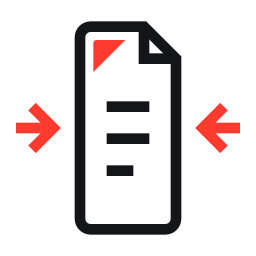

What the icon shows
A single tall document with a folded top right corner sits in the middle, drawn in thick black rounded strokes. Three short horizontal bars inside stand for lines of text. Two red arrows point inward at the page from the left and the right, as if pressing its width down. A small red triangle fills the top left corner of the page, the tab that marks PDF tools. The dark version keeps this exact drawing with light strokes for dark backgrounds.
Where to use it
Put it on a 500 KB preset button in an app that shrinks documents, next to a smaller 300 KB or 200 KB choice. Admissions help desks can drop it into a checklist row that reads scholarship forms must be under 500 KB. A bank or loan portal guide could show it beside the step where applicants reduce a scanned statement. It also suits a slide on preparing visa paperwork, or a status badge that turns green once the file fits the half megabyte cap.
The Compress PDF to 500 KB tool
The matching free-utils.com page shrinks a PDF to under 500 KB for counselling, scholarship, bank and visa document uploads. It recompresses the pictures inside first and keeps typed text as text, turning pages into images only when the file is still too big. Compression happens in your browser, so the PDF never leaves your device, and there is no sign-up, watermark or daily limit.
Free to use with credit
Use this icon for free in personal and commercial work under the Creative Commons Attribution 4.0 license. You can resize or recolour it. Credit Free-Utils with a link to this page, for example:
Icon: Compress PDF to 500 KB by Free-Utils, https://free-utils.com/free-icons/compress-pdf-to-500kb, CC BY 4.0